
- When installing this option, turn OFF the main power and unplug the power cord from the wall socket. If installing without turning OFF the main power, an electric shock or a malfunction may occur.

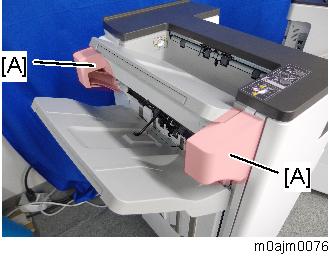
- When you unpack or move this unit, do not hold the paper exit guide [A]. Doing so may damage the unit.

- Before installing this option, install the following options first;
1. Bridge Unit BU3070 (D685), or Internal Multi-fold Unit FD3000 (M482)
2. LCIT PB3260 (M496), or Paper Feed Unit PB3240 (M494)
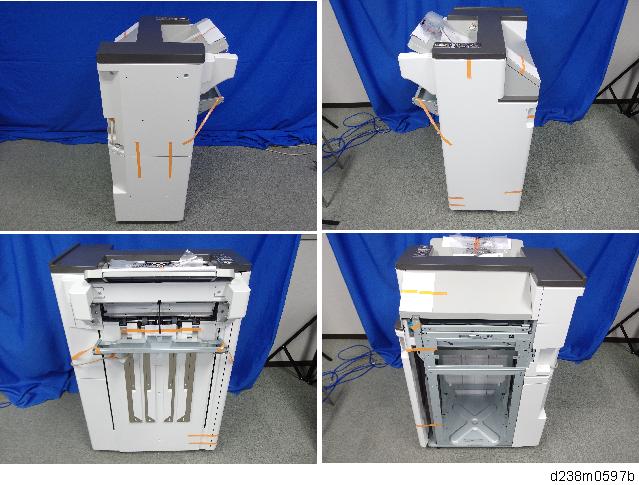
- Remove the orange tape on the exterior covers and remove the shipping retainers. Then remove the accessories in the package (fixing screws, etc.).
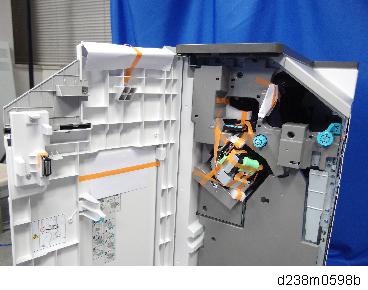
- Open the front cover, and remove the orange tapes and shipping retainers.
- Remove the plate [A] only when installing the punch unit.
For details about the punch unit installation, refer to Punch Unit PU3060 (D706-00, -01, -02).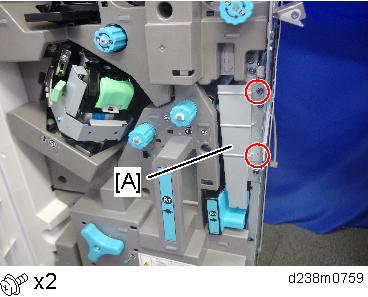
- Attach the shift tray [A] (
 ×1: M3x8).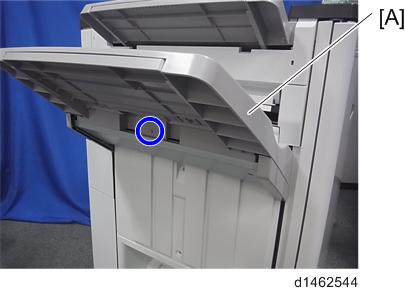
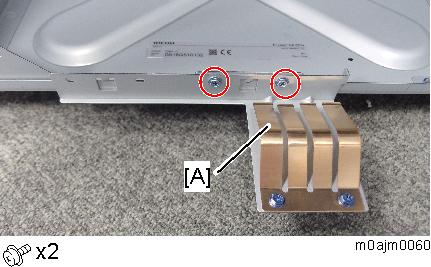
- Attach the ground plate [A] (M3x6).
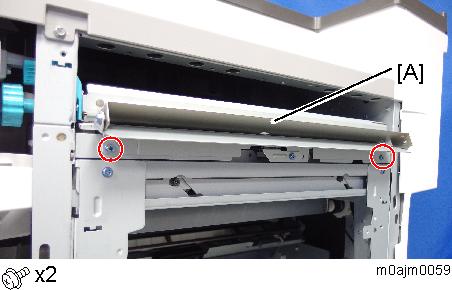
- Attach the relay guide plate [A] (M3x6).
Attach the joint bracket [A] to the main machine (
x4: M4x12).If the machine is equipped with the bridge unit, attach the joint bracket [A] together with the L type connecting bracket [B] of the bridge unit.
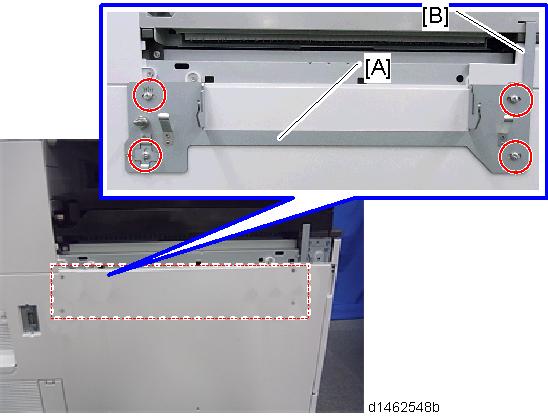
If the machine is equipped with the internal multi-fold unit, attach the joint bracket [A] only.
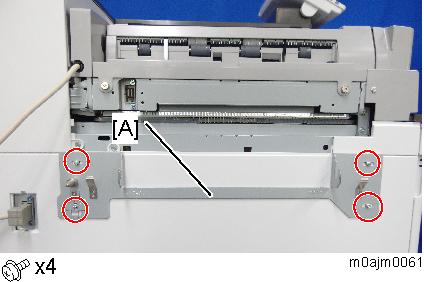
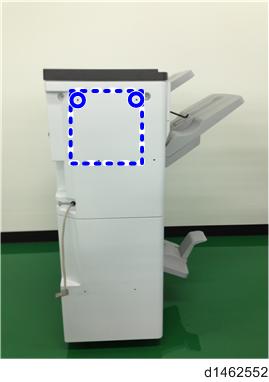
- Attach the screw so that the screw head is at the center of the mark.
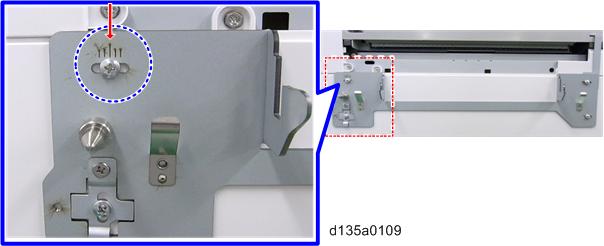
- Attach the screw so that the screw head is at the center of the mark.
- Clean the right side of the upper cover with a cloth moistened with alcohol, and then attach the cushion [A] to the finisher.
- Make sure that the cushion is aligned with the rear-upper edge of the upper cover.
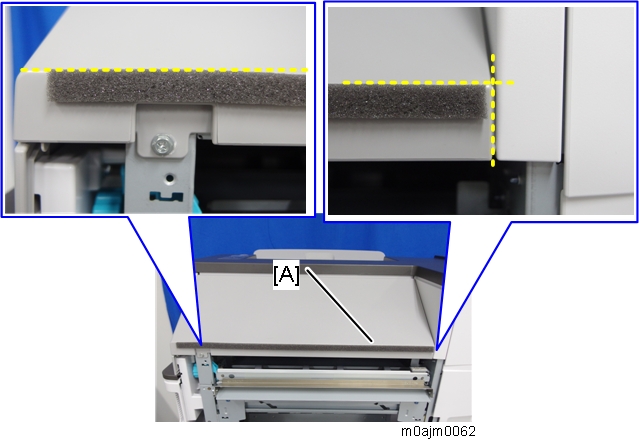
- Make sure that the cushion is aligned with the rear-upper edge of the upper cover.
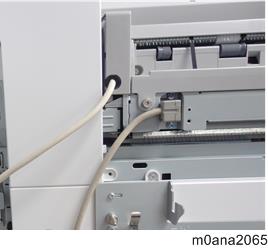
If the internal multi-fold unit is installed, connect the finisher cable to the connector on the internal multi-fold unit.
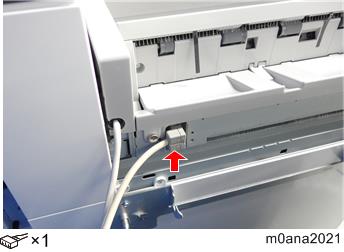
Make sure that the finisher’s 2 cables are not crossing each other before you connect the finisher.
Remove the screw on the connection lever [A] and pull the lever.
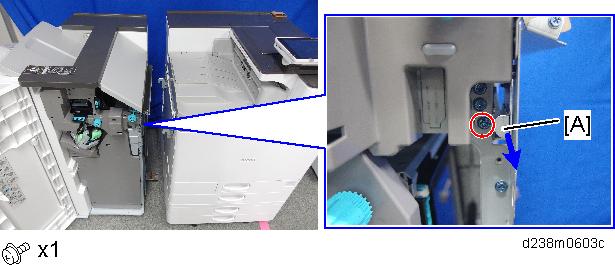
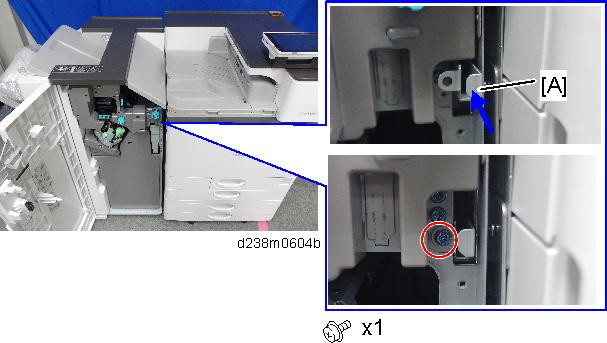
Connect the finisher to the main unit, and then push in the connection lever [A] to fasten it to the main unit.
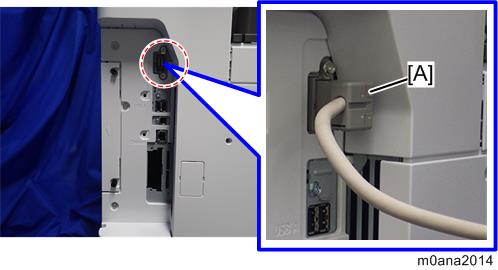
- If the bridge unit is installed, connect the interface cable [A] to the machine.
- Attach the tray holder (x2).
- Close the front cover of the finisher.
- Turn ON the main power.
- Deliver some A3/DLT paper to the proof tray and check if the vertical registration is correct according to the adjustment scale for A3/DLT paper (Finisher Registration Adjustment).
- Check that the finisher can be selected on the operation panel, and check the finisher’s operation.