
To unregister, it is necessary to follow the cancellation procedure on the PaaS server side in advance.
- Launch the web browser.
- In the web browser’s address bar, enter http://(machine’s IP address)/ to access the machine.
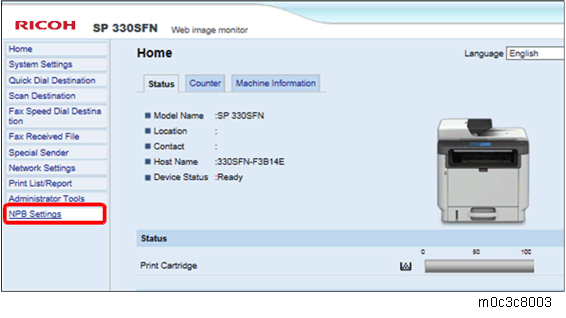
On the Web Image Monitor menu, select NPB Settings.
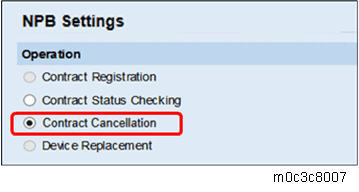
- Check that Operation is set to "Contract Cancellation".
- Click [OK].
If the message "Operation Successful" appears, PaaS unregistration is complete.
Set the [PaaS Validity Setting] to inactive.
Four-line LCD panel: SP menu > [CTL Maintenance] > [PaaS Validity Setting]
Touch panel: SP menu > [CTL SP] > [PaaS Validity Setting]